%20(1).jpg)
We use AI for almost everything. Our team runs on it — writing, research, planning, analysis, coding. It's not an experiment, it's how work gets done.
But there's a line I haven't crossed, and won't: I don't connect cloud AI to our systems. Not email. Not calendar. Not files. And definitely not customer data — that's not my decision to make on someone else's behalf. Even with our own business data, where I do sometimes share more than feels entirely comfortable, I make that choice consciously and case by case. Giving a cloud service blanket access to everything is a different thing entirely.
The problem is that the most valuable automation, the kind that would give us real time back, sits right behind that line. Every useful workflow requires system access.
So we built Venho. We run our own businesses on it every day. Processing stays local on your device. Your data doesn't leave. Here's what you can do with it.
The word gets used loosely. Most people hear "automation" and picture workflows: if this then that, triggered when something happens. Part of it, yes. But in Venho, automation is a broader idea. It's anything that runs so you don't have to.
The assistant you talk to directly acts on your behalf in real time. The individual tools it uses — reading an email, creating a contact, scheduling a meeting — each configurable for how much trust it gets. The multi-step workflows that run in the background while you're doing something else. The templates that generate documents from live data on a schedule. The memory layer that continuously processes your information so context is always assembled when you need it. And the analysis that surfaces patterns without you having to ask.
Most automation tools were built around rules and triggers first, and added AI later. Venho was built the other way around. AI is at the core, not a layer on top. Every step can reason, decide, generate, and adapt. It can read context, make judgements, and handle situations that a rule-based system would simply fail on — which is what makes it useful rather than fragile.
At one end you ask and the assistant acts. At the other, something happens in your business, a chain of steps runs, things land in the right place, and you're notified only when a decision is needed. Most of what you'll automate sits somewhere in between.
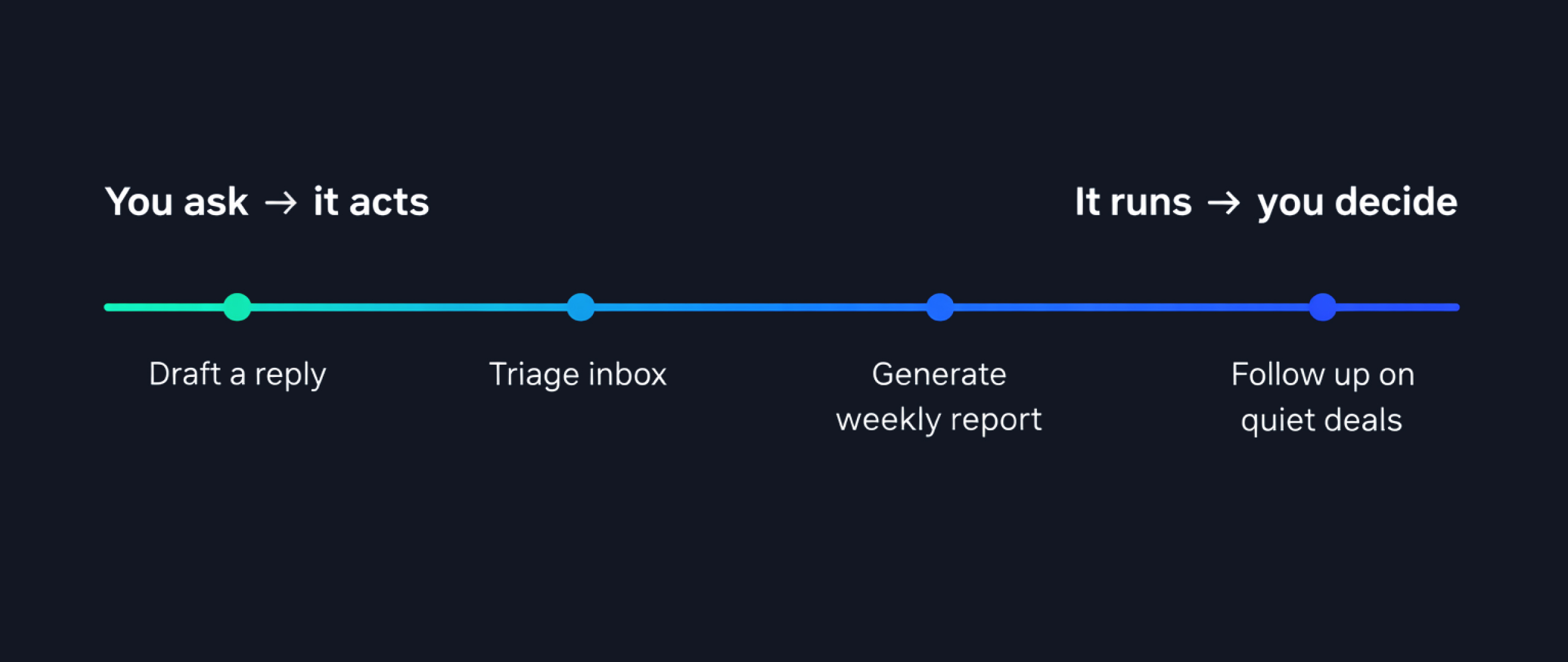
Every layer runs against your actual business data, locally on your device. The assistant drafting your follow-up email knows your history with that person, your communication style, what was discussed last time, and the context of the current thread. It's not generating a generic response. It's working from everything relevant.
Communication is the obvious place to start. Personally, I run multiple email accounts across different businesses. One of them has 80,000 emails in it, around 50,000 unread. That sounds chaotic, and honestly it is. Most of it is newsletters, notifications, and things that don't need dealing with. The issue is that at that volume, messages from real people get buried. What I need isn't fewer emails — though that would also be nice. It's a system that already knows the difference and has done the work before I open my inbox. Venho handles the full range: reading and triaging, drafting and sending, scheduling, follow-ups, archiving, across email, messages, and calendar at once.
Tasks and projects are where time disappears without anyone noticing. Work captured from emails, meetings, and conversations, connected to the contact or project it belongs to, not sitting in a separate list that no one looks at. What makes it a planning tool rather than just a task list is that Venho understands context. When it helps you plan your week, it's looking at your goals, your calendar, your preferences for how you work and structure your time, which tasks connect to which clients, and which deadlines are fixed. A task created from an email arrives with the right contact linked and the right project attached. The difference between a task system and a planning system is whether it reflects reality or intention. Ours reflects reality.
Documents and notes are where context lives. Venho drafts from templates, generates reports from live data, and surfaces the right information when it's needed. Most people already have the information. Finding it at the right moment is what takes the time. Think about the monthly client report you spend hours pulling together. In Venho, that information has been building all month. Every email, every meeting, every task update, collected and connected as it happened. When you're ready to create the report, the work is mostly done before you start.
Contacts and relationships are where the invisible cost is highest. Venho builds contact records from communications, logs every interaction, and has relationship history ready before a call rather than you spending time pulling it together manually — or simply not having it at all. Pipeline and deal tracking stay current automatically, no manual data entry required, which is usually why it never gets updated in the first place. Before a call, you can ask your assistant to pull together what your contact has been posting about recently, what's been happening at their company, anything publicly available that gives you better context. Or set it up to happen automatically before every call, so the brief is just there when you need it.
Running underneath all of it is analysis. Not a dashboard you have to open, but patterns that surface when they're relevant. How time is being spent, what's moving, what needs attention before it becomes a problem.
Every business runs differently, and everything described here can be extended, combined, and built on: custom assistants, workflows, and templates shaped around how you specifically work.
The simplest layer is conversational. You describe what you need, the assistant acts, and you stay in control at each step.
Ask for a draft reply to an email and it's written from your business context. A task list for the week is built from what's in your system. A summary of your relationship with a client before a call gives you the real answer: last contact, what was discussed, what's pending — without having to search for any of it.
Same with documents. A proposal brief becomes a draft built from your templates, your past work, your pricing, and what the system knows about the client. A recurring report gets defined once and pulled from live data whenever you ask, not copied from last month's version with the numbers swapped.
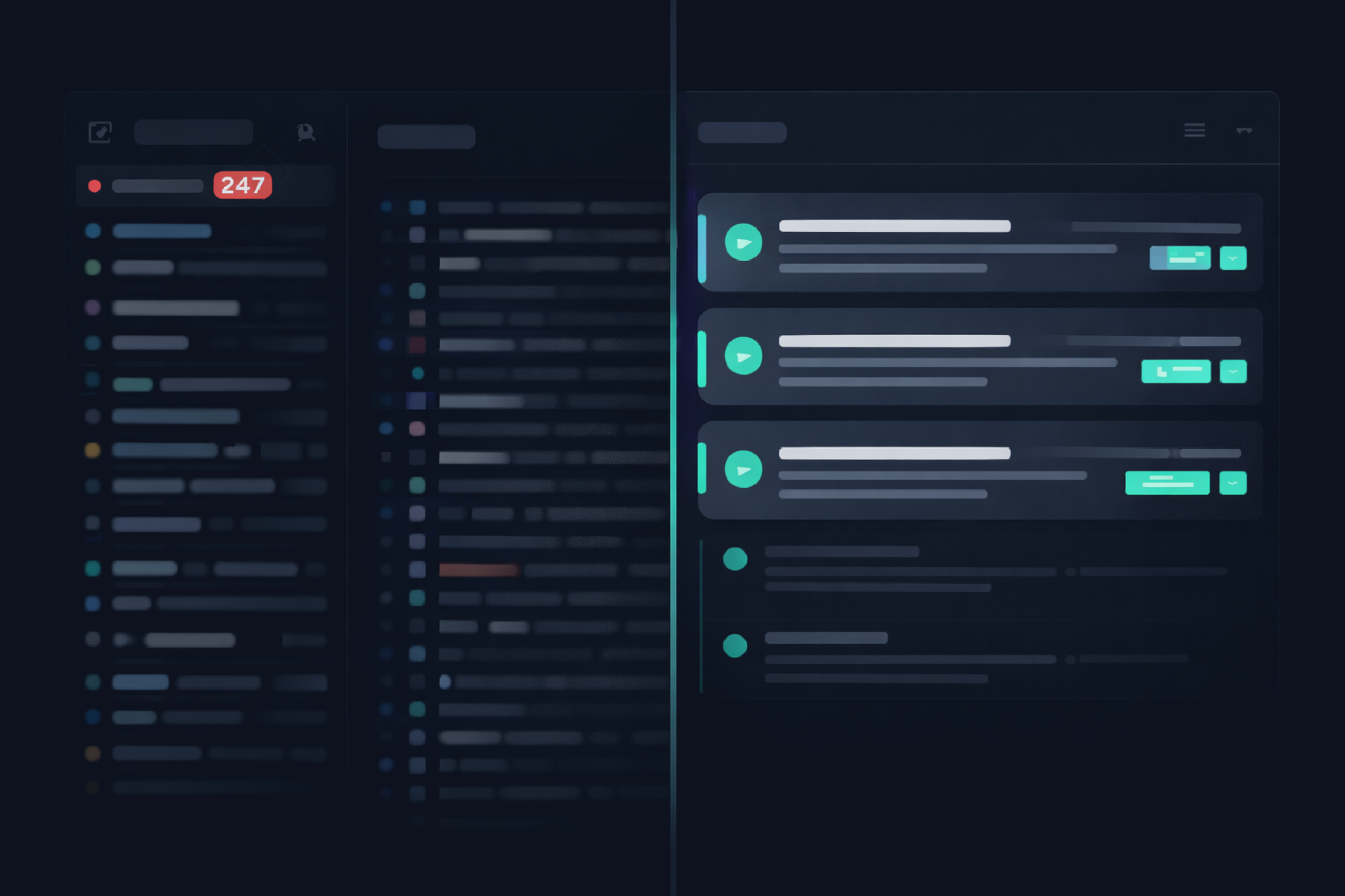
Memory runs in the background throughout. The system continuously processes and organises your data so when you ask something, the relevant context is already assembled. You're not waiting for a search. The information is ready because it's been quietly maintained all along.
The real shift is when it runs without you starting it. Workflows triggered by events, running on schedules, executing multi-step processes while you're in a meeting, asleep, or working on something else entirely.
The system only processes what's relevant to you. When someone new contacts you, it surfaces them and asks whether they're worth tracking. You say yes or no. The ones that matter get the full treatment going forward — record created, every interaction logged, tasks added, pipeline entry if relevant, draft response ready. The ones that don't are left alone. The data is there if you ever need it, but the system doesn't spend resources processing what you've said isn't relevant.
A deal goes quiet for a week. The system notices, drafts a follow-up, and sends you an approval request wherever you prefer: in-app, via Slack, or email. You confirm or edit. The workflow resumes.
A document template you've defined runs on a schedule. A weekly team update, a monthly client report, a Friday summary. Prepared from live data, waiting for your review, never requiring you to start from scratch.
Analysis runs continuously. Patterns in how you're spending time, trends in your pipeline, habits in how work moves through your system. Not a dashboard you have to open, but insights that surface when they're relevant.
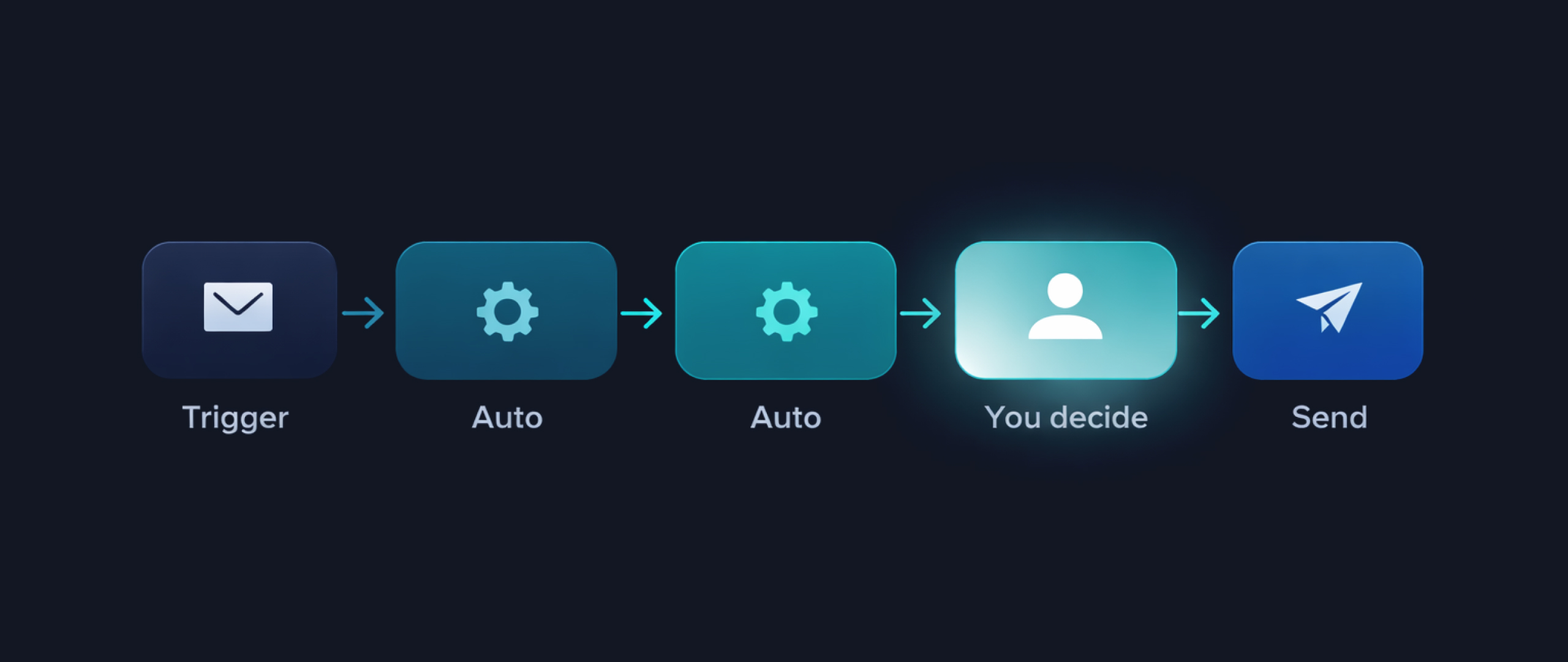
None of this is a black box. At any point in a workflow you can build in a human decision step. The workflow pauses, presents what it's found or prepared, and waits for your input before continuing. The automation handles the work. You handle the decisions that matter.
I've written publicly about why AI that can take action without human checkpoints is a serious problem. One example from earlier this year: an AI agent deleted 11GB of files live on camera. Permanently. The product had shipped without a human in the loop for that action. Systems that can act without oversight will eventually act incorrectly.
In Venho, every action type has its own approval setting. Reading and analysing your data runs automatically. Drafting content runs automatically and waits for your review. Sending anything or making any change that reaches the outside world requires you to say yes, and that confirmation can come from wherever you are: in-app, via Slack, or email. A workflow running in the background can pause at the right moment, send you what it's prepared, and resume the moment you confirm.
Each workflow can have decision points built in at any step. You set the trust level for each assistant and each type of action. You decide what runs freely and what waits for you.
Every time we talk to someone new, different things come up that they want to automate. We can't build all of those things. So we built the engine that makes it possible to build them.
Building your own goes well beyond workflows. Preferences tell the system how you like to communicate, what tone you use with different clients, how you structure your week. Skills give an assistant specific knowledge or behaviour for a particular context. Templates cover any document, report, or process you repeat. Custom assistants handle specific roles — a communications assistant that knows each client's preferences, a proposals assistant that knows your pricing and past work, a research assistant built for a specific domain. And connections reach any external service your business uses.
All of it built by describing it. Tell the system what you need and it generates the result, shows you what it's created, and waits for your review before anything activates. No coding required, though a visual builder and full developer tools are available for those who want to go deeper.
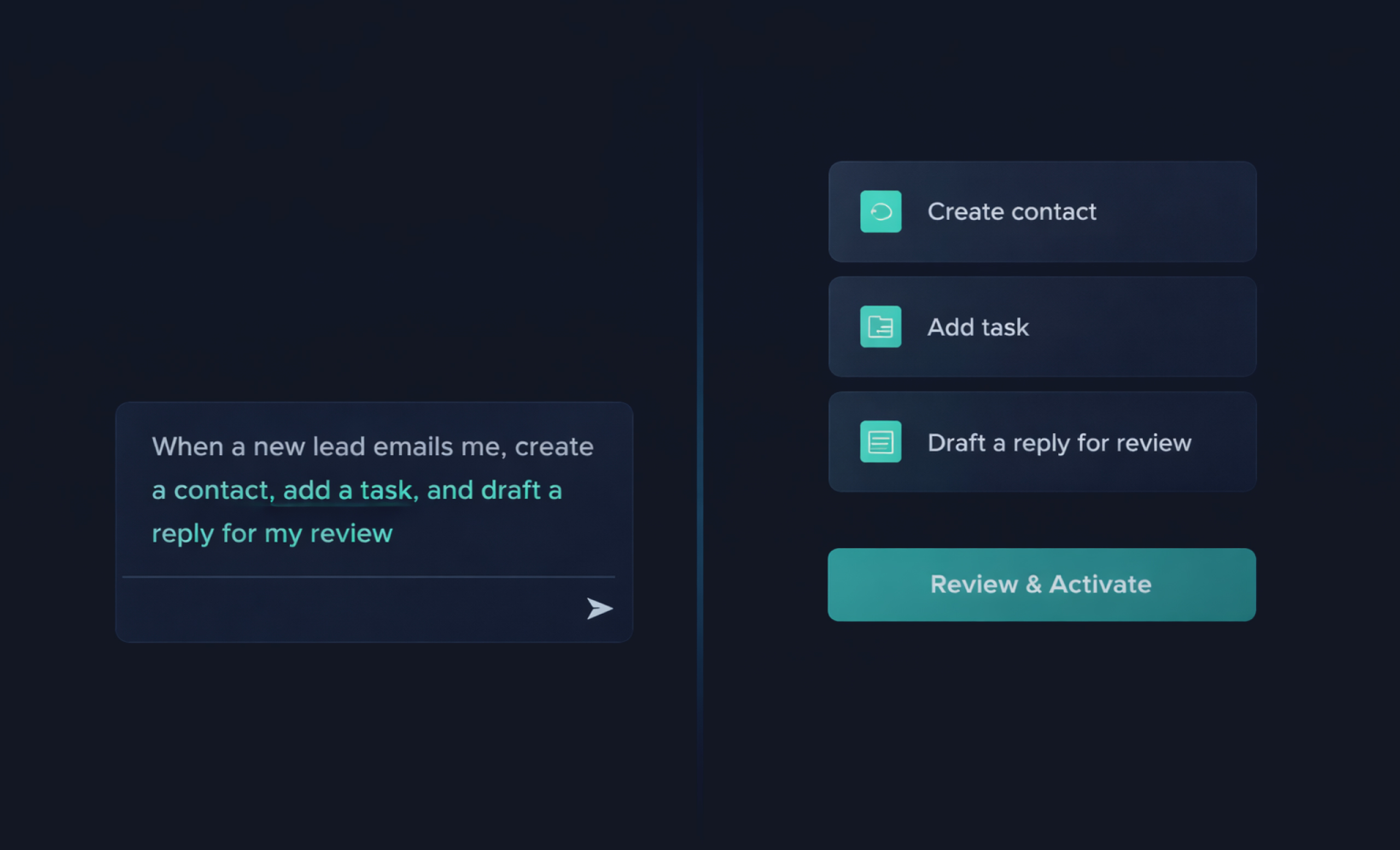
Everyone using Venho ends up with a different system. Same platform, completely different configuration, shaped by how you work, what you need to stop doing manually, and which decisions you want to keep for yourself.
If you're managing multiple clients or businesses, one question matters more than any specific feature: how does the system know which context a piece of work belongs to, and how certain can you be that it stays there?
I run several companies simultaneously. The wrong information surfacing in the wrong context — a client's data appearing in another client's workflow, or personal finances bleeding into a business context — isn't an edge case to guard against. It's a dealbreaker. No amount of good features makes up for it.
In Venho, each context is completely isolated. You set up your contexts and switch between them, but the separation is enforced at the architecture level, not something that depends on you remembering to keep things apart. Client A's emails, contacts, tasks, memory, and history have no access to Client B's. When you switch contexts, everything switches: what the assistant sees, what it references, what it drafts from. A workflow built in one context cannot reach into another.
It's also not a simple filing system where everything lives in one box. Some things can belong to more than one context — a contact, a document, a piece of knowledge relevant across multiple businesses. That's different from a file directory. The context defines the lens, not just the container.
The inbox volume, the follow-ups that slip, the CRM that needs updating after every call, the workflows nobody has time to initiate manually, the sensitive data you can't hand to a cloud service no matter how convenient it would be — these are our problems. We looked for local AI automation that solved them without compromising on data control, and it didn't exist. So we built it. Every conversation we have confirms we're not the only ones with these problems. Early users will help us solve these and uncover many more that AI can take off your plate.
If you've drawn the same line around your data that we have, you don't have to give up automation to keep it.